Some of my most favorite things: sparkling lemonade from Trader Joe’s, chicken coconut curry (extra hot) + garlic basil naan from Tandoori Fire. mmmm.
Favorite things
Mar 22nd, 2011 by bwann
Roadtrip: California – Part III
Mar 13th, 2011 by bwann
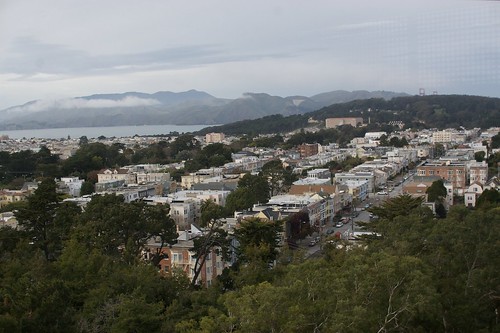
View of SF from de Young
Saturday morning I struggled to decide out what I should do on my last day. I kind of wanted to go back to the UC Botanical Garden to see the rest, maybe go visit a museum, go shopping, or just walk around outside.
While making up my fickle mind, I drove down the Warren Freeway behind Oakland to oogle the hills and fancy houses. This is the most amazingly scenic part of east bay, it was fantastic! I discovered Piedmont, which is a really nice (read: well-to-do, well kept) area. Wandering around here lead me to Grand Lake Theater at which point the geography sudden snapped into place for me and I realized this was the end of Lake Merritt on the other side of I-580 I had seen before but not been to. It’s a pretty clean part of Oakland, disproving that all of the city is seedy.
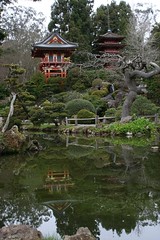 I eventually decided I wanted to stay outdoors all day, so I headed to the Golden Gate Park in SF. I figure I need to spend at least some time over there, since otherwise I’d just run around east bay. There, I discovered the Japanese Tea Garden which was cool to walk around. Lots of fantastically manicured trees and the flowers were just beginning to bloom. Aside from the garden, I learned I could get in the observation tower at the de Young Museum for free, which I recommend as it offers a great view of the area. I would’ve like to spent a little time in the museum, but it was really too late to see much. I’ll have to do that later, I hear it’s quite nice.
I closed out the evening and trip by going to Baker Beach. The sound of the surf here was awesome. The beach is directly exposed to the greater ocean, no rocks, and is slightly curved, so the waves make a powerful crushing sound over and over. It was sunset, and there was a handful of people out. It was a great time to just sit and watch the sea.
I started driving back Saturday night. I wanted to stay so bad, but had to get going. I forget where I landed for the night, some rest area in CA or OR. Sunday morning I picked up where I left off and kept on driving. I got back to Redmond around 4 PM, wee!
Roadtrip: California – part II
Mar 13th, 2011 by bwann
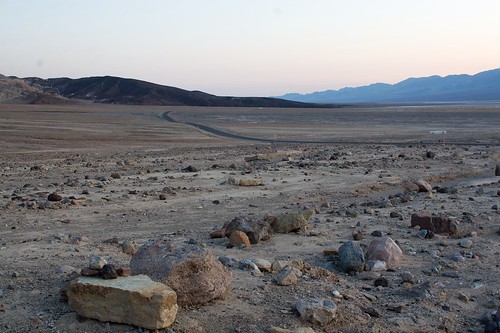
My "campsite" near Furnace Creek
Wednesday morning I packed up and left Berkeley for Death Valley. I actually had some initial hesitation about this, since the bay was so nice and the drive would eat a lot of time. This is something I had wanted to do since last summer, when I expected to have a nomadic lifestyle for a couple of months between jobs. I decided I probably wouldn’t have another chance to drive there for a while (last time was 2006!) and I should go now.
This was an exciting new look at things since everything was green. Every time I’ve been out I-580 or down I-5, it’s been in August/September when it’s hot and everything is scorched brown. This time all the rolling hills were flush with green grass. It reminded me a lot of how Wyoming looks along I-80. All of the trees in the tree farms were blooming with white flowers. Also, the last time I was through Bakersfield it was dark and I couldn’t see anything. This time I got a great view of the massive hills and all the rock outcroppings along Hwy. 58 going to Mojave.
By the time I got to Hwy. 395, it was dark. The Garmin started me off on another road of bones adventure, as it tried to send me down a very unimproved Wildrose road in the middle of the night. I wised up, turned around, and took the sane longer route which turned out to be a very nice road. Some of the turns were creepy, there was no guardrail in many sections, and it was pitch black beyond that. I knew it had to be a long ways down, but I had no idea until days later.
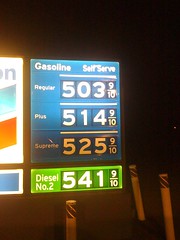 Hwy. 190 over the mountain into the basin is a deceptively long gradual slope. I managed to overheat my brakes at one point, requiring the need to pull over, park, and let things cool off. I rolled into Furnace Creek around 9 PM. The first thing I noticed was the $5 gasoline:
The two hotels in the area, Furnace Creek Ranch and Furnace Creek Inn were dark and not much going on. I drove out to the Golden Canyon trailhead and set in to take star pictures and stay overnight.
It was a fantastic night and so absolutely quiet. When I got out of the truck the only thing I could hear was my tinnitus. No moon, no clouds, sky full of stars, reasonably cool and a light breeze. I wound up sleeping out in the open on the toolbox of my truck. In the middle of the night I could hear coyotes off in the distance. Unfortunately, none of my star photos were useful. I woke up bright and early at 6 AM to a hiker pulling into the parking lot.
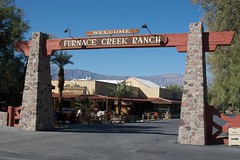 I had read that Furnace Creek Ranch had a little cafe that served breakfast. Much to my surprise, the ranch was much bigger and active than I expected. Not only is there a cafe, but there’s a decently stocked general store ($9 firewood, ice cream, groceries, beer+spirits, tourist items), a bicycle rental/repair shop, saloon, steakhouse, breakfast/lunch buffet, a post office. And wait, there’s more! 224 guest rooms, a 1 megawatt solar installation, golf course, tennis courts, swimming pools, horses, and a whole lot of guests from around the world. It was exactly like somebody took Wall Drug in South Dakota, shrunk it, and put it in Death Valley. There was no problem for non-guests to come by and spend money. If you want the desert experience of Burning Man with the modern conveniences, you want to stay here.
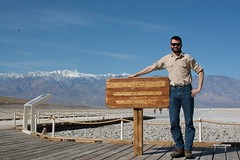 The rest of the day I wandered around Badwater, Devil’s Golf Course, some of the various canyons, and up Dante’s View. I managed to get a mild sunburn, it was awesome. While there was lots to see, by the end of the day it was all looking the same. At night I hung out by the firepits at the Ranch chatting with several random people there, including some off-duty employees and a group of Australians who were touring LA and Vegas via RV. It was a great way to wind down an evening!
Friday morning I started heading back to the bay. In the daylight I got a good look at how far the side drops off the roads through the mountains (sans guard rails). It sort of surprised me how dangerous the turns were and I didn’t know it the other night. Scary.
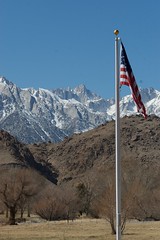 Next up was Mount Whitney, the highest peak in the lower 48. I knew it was somewhere nearby when I saw the Sierras, and after looking at the map I realized it was only 20 miles away in Lone Pine. There’s a fantastic visitor center there, which showcases not only the Sierras, but Yosemite, California’s Aqueduct, the Navy station in China Beach, and keeps Mount Whitney trail reports.
The Sierras are neat because they seemingly rise out of nowhere in the desert. Brown and tan and bare all around, then over yonder rising out of it all is this snow-capped mountain range.
In the process of going to Whitney Pass, I misplaced my credit card after stopping at McDonald’s. It had slid between my seats without my noticing, causing a scare when I couldn’t find it. I even went back and asked if the drive-thru had kept it. Eventually I found it hidden in a piece of seat trim!
Whitney Pass road was closed, so I couldn’t get any closer to the mountain. There’s a great view of the entire range from the visitors center.
It was a pleasant drive back to the Bay on Friday night. The trip up I-5 was nice and fast. I managed to score a uppity suite in Emeryville for cheap thanks to the internet and I fully crashed out for the night.
Roadtrip: California – part I
Mar 13th, 2011 by bwann
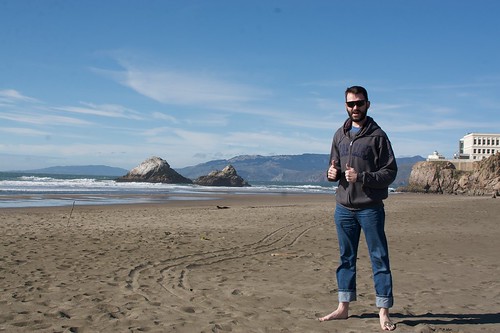
Against my strong hatred for the cold, wet, dark-at-4 PM PNW winter and contrary to everything I’ve been saying, I unexpectedly took a new and better job that’s going to keep me here for the time being (and at least another winter). I took the opportunity of a week off between jobs and headed down to California to run around the Bay and Death Valley.
Hilary was in town for the weekend, so I left after lunch on Sunday to head to California. The drive went quickly as usual, and I got to Berkeley around 3-4 AM. One interesting tidbit I discovered along the way is that just outside Salem is the 45th North parallel, meaning the latitude is halfway between the north pole and equator.
Around a week or so prior to leaving I won a prize from the UC Botanical Garden in Berkeley. For being nearly the 2000th person to “Like” their page, I won a pair of passes and a lovely poster. I left before receiving the passes but went to the garden anyways on Monday afternoon to check it out.
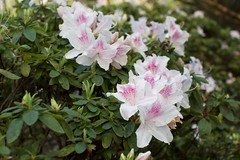 The Botanical Garden was really nice! They had several representative collections of plant life from around the world and worked to make them grow in the bay climate. I was really impressed by the detail and sheer variety of plants in each collection. I’ve been to a few other gardens in Oklahoma, Texas and Iowa, but this one was by far the largest (34 acres). I only had a couple hours before closing so I took in what I could, but didn’t make it to the California collection.
The one thing that I wish I could take away (or adequately describe) from the place was the smell. It was in the upper 50s, sunny, with a light breeze. The air was fresh, crisp, smelling of foliage and hints of the few plants that had started to flower. It’s completely seductive and would make for a wonderful Saturday afternoon of wandering. Right at closing the frogs in the Japanese Pool started croaking, adding another aspect of niceness to the environment. I met up with an employee who was enthusiastic to meet one of her Facebook fans and I claimed my poster+passes. I will definitely return to stay longer and recommend this to others!
The weather in the Bay was absolutely wonderful. This was a great week to have went. There’s a remarkable difference between 54 F in Seattle and 54 F there, it’s way more pleasant and sunny. All the recent rains there had made everything super green and lush. This was especially obvious when driving down I-5 to go to Death Valley. I’ve only been down the 5 in August/September and by then things are usually pretty dry and brown. This time it was rolling fields of green and lots of white trees beginning to blossom on the massive farms. All of this made me crave to stay outside as much as possible to take it in.
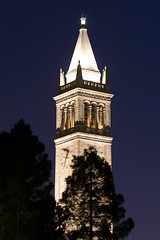 After leaving the garden, I wandered around Berkeley and UC taking photos as the night fell. Despite students running around, it was pretty tranquil and quiet. I then wandered over to Oakland. I had read a lot about Lake Merritt and Jack London Square, and I wanted to see what they were like at night. For as much as I hear they’re popular areas, I was somewhat surprised to see both were pretty dead at night. JLS looked sketchy and dark, at the edge of the industrial zone. Lake Merritt was nice, with a string of lights surrounding its entire perimeter, and a little bit of pedestrian traffic.
Tuesday morning I wandered back over to Oakland, then drove over to SF. Some major piece of the new Bay Bridge was being lifted up in place this week. On Treasure Island I ran into a guy that was making a painting of the construction work. It looked really cool (maybe a bit Impressionist-y?), I wish I had it hanging on my wall or at least a photo of it.
I drove around aimlessly in SF for a while and discovered Ocean Beach on the west side of the peninsula. It was awesome to see a sunny, clean beach with lots of surf. The sand was warm, the wind was cool and the water was frigid! Following the coast around, I dropped by to take touristy photos at Lincoln Park and the Presidio. Later that night I was trying to decide where to eat that might allow me to sit outside and people watch, Yelp led me to a brewpub (21st Amendment) that was busy with lots of 30-something tech nerds.
One thing I’ve noticed this trip was the lack of traffic in San Francisco. Maybe the memories I have of it were from a particularly busy time or I was more off the beaten path this time, but it seems like it’s way easier to get around now.
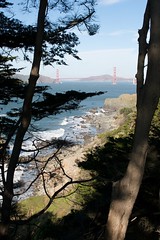

While driving around today at lunch enjoying the sun, my mind was surprisingly at ease and I had a profound realization: Everything I have is because of thought. At the purest level, I sit around, people give me problems to solve, I think through them and present a solution. That’s it. I don’t do any physical labor, I don’t build things, I don’t even really tell people what to do nor push papers around. Simply using my brain provides me with a roof over my head and food on the table.
By extension, this is how I have friends. Friendship is some sort of external manifestation of feeling, which comes from thought. I really can’t describe this concept, but that’s what it feels like.
It makes me wonder if thought alone is this powerful, what else am I capable of?
Fuel pump replacement
Feb 6th, 2011 by bwann
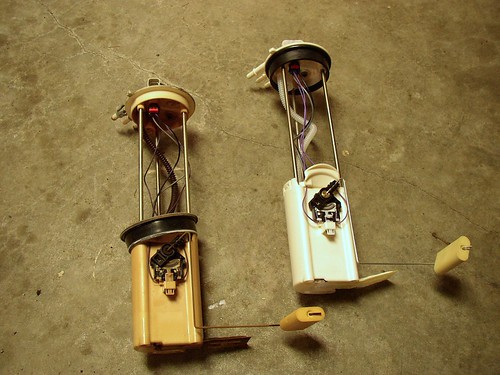
2003 Chevrolet Silverado in-tank fuel pumps
Ever since my fuel pump made a loud whining noise all throughout Arizona for Burning Man 2009, I’ve always said it’s going to die and strand me someday and I should really get it replaced before then.
This Friday was the night it decided to die. I was driving across the I-90 bridge going into Seattle when the engine started missing and I lost a lot of power. So much that I was down to 35 m.p.h. going up the last hill. I turned off on the first exit, Rainier Ave, and pulled into a side street parking spot. As soon as I stopped, that’s all she wrote and the engine died. At first I wasn’t sure what it was, but concluded it was the fuel pump after the engine would clearly crank for a second or two before dying.
I called AAA and they sent a tow truck to me within an hour. I had it towed back to Alex’s shop since it would’ve been unpossible to take it to the apartment parking garage. I decided it was the fuel pump, or at the very least it needed to be replaced anyways. The next day I studied the Haynes manual for all the parts and tools I’d need, then walked over to NAPA to buy everything.
The factory specs say there should be 55-62 p.s.i. at the fuel injector rail. I repeatedly measured 19-20 p.s.i. so it was clear that wasn’t right. I had always dreaded replacing the fuel pump since it seemed like a giant hassle and a mechanic would easily want $1k for the job. Several people on the internets advocated just removing the bed or taking a Sawz-all to make an access hole in the bed, neither of which were really options.
It wasn’t too terrible of a job. I did it completely by myself in about 12 hours of work over two days. By far the longest part was just pumping all possible gas out of the tank. I got it down to ‘E’ with the fuel warning on. Unhook the EVAC canister, disconnect the two fuel+return lines, put the tank on stands, and undo two straps. It turns out the plastic gas tank wasn’t heavy at all, maybe 20 pounds even with the little gas left over. Putting it back in was a hassle, this is where a 2nd set of hands to align the tank while jacking it up would’ve been handy.
After that, I was getting 55 p.s.i. at the rail again and the truck has been running fine!
While in Redmond, I’ve discovered two delicious sources of food. One is the medium especial salsa and restaurant-style tortilla chips from Trader Joe’s. It’s a great mix of heat and salty, mmm. The other is the coconut curry from Tandoori Fire just down the street. I’ve been trying new Indian places lately and have re-discovered their curry. It’s so rich and creamy, and is amaaaazing with garlic basil naan.
Hard lessons learned about OpenNMS database maintenance
Jan 10th, 2011 by bwann

I learned a hard lesson in PostgreSQL administration, in particular what happens when tables aren’t vacuumed. I come from a MySQL background and haven’t fully learned what it takes to keep Postgres humming along. I had recently moved the OpenNMS database to another host in an attempt to throw more spindles at a UI slowness issue. Most everything else worked well except the events page would time out while trying to render. Moving Postgres to another box worked well until it started getting slow again over the holidays.
Looking at my resource graphs for the database server over the previous week, the amount of CPU time spent in I/O wait grew considerably until it eventually stayed pegged out doing nothing but read operations from the disks. This didn’t seem “right” since I hadn’t added any new switches and the configuration was the same. Since this was some random box with 2 GB of RAM and I had really been generous with the memory allocations to PostgreSQL, I thought maybe I was exhausting the Linux buffer cache as it was hovering around 6700 KB. Tuning down Postgres’ memory footprint, it didn’t affect buffer cache and I was still doing a ton of read ops off disk.
I fixed the pgsql stats collector and went hunting for what OpenNMS was doing to generate so many reads. It turns out that an UPDATE to the snmpinterface table was consistently taking several seconds to execute. This is where I learned that PostgreSQL tables need to be vacuumed frequently, especially ones where there are many UPDATEs on that table. Even after stopping OpenNMS and letting the box do its thing, it took several hours for a ‘VACUUM VERBOSE snmpinterface’ to finish. Even though I had auto_vacuum turned on, it wasn’t actually working because “stats_row_level” wasn’t set to on. Therefore, the tables were never vacuumed!
While that was running, I was reading the event maintenance documentation. I checked out the events table and discovered it too had become bloated. I update the provisioning group hourly and I had hundreds of thousands of ‘nodeScanCompleted’ and reinitializePrimarySnmpInterface’ UEIs in my events table. Since I really don’t care about these events, I deleted them and added a statement to vacuumd-configuration.xml to purge them after 2 days. This made a gigantic improvement in displaying events in the web UI, namely, it actually worked again.
Between cleaning up both tables and fixing vacuuming, the excessive read operations completely vanished. From what I can tell, because of the way PostgreSQL’s transaction stuff works, any time it did an update it was having to read all these old transactions off disk first and over time it was a vicious feedback loop.

Lessons learned:
sar -d 1 300is your friend. If “rd_sec/s” is stays around zero, that means your OS filesystem cache is adequate and it’s not having to go to disk frequently for hot blocks. Finally realizing how VM management and buffer cache works in practice in Linux was a great experience. This is something one of my old bosses tried to teach me a long time ago and it never really sunk in until now.- PostgreSQL’s stat collection tries to connect to a random high-numbered port on 127.0.0.1. If you have deny-all, permit specific rules like I do, make sure you accommodate this with “-A INPUT -i lo -j ACCEPT” or something. Otherwise, the pg_stat tables are empty and there’s no indication why.
- The I/O characteristics between the database and RRD storage are complete opposites. The RRD filesystem deals with tons of tiny write operations. The database server does a modest amount of reading large chunks of data off disk (table scans?) with relatively few writes.
- Keep the events table trimmed, apparently there’s a lot of event correlation going on in the background and extra rows can really slow it down.
- Check pg_log/postgres-X.log to make sure auto vacuuming is actually working.
Now to see what the next learning experience is! If I can figure out what’s causing all the “storeResult: org.opennms.netmgt.snmp.SnmpResult” to be written to my output.log, I’ll be happy. (changing collectd logging to FATAL hasn’t seemed to help)
California New Years
Jan 5th, 2011 by bwann
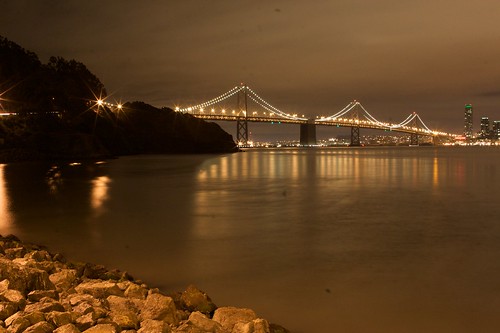
Bay Bridge at night from Treasure Island
For New Years, I had Thursday and Friday off work. I haven’t been on a good road trip since moving, and I was itching to go explore and see some sun. I had the loose idea of driving to SF, then following the 101 back up the coast since I’d only covered half way long ago. Thursday morning at 10:30 I headed south.
It was a cold, but really sunny drive through Oregon. There were several valleys topped with fog that I drove down into. Inside the valleys, everything was covered in frost and the trees had snow on their branches. The drive went amazingly fast, I was excited about going to the Bay. I arrived at Berkeley around 10:40, almost exactly 12 hours later. I kept on driving across the Bay Bridge and went to the Golden Gate Bridge (after momentarily getting lost downtown trying to follow the 101).
 The sky over the bay was nearly perfectly clear and the stars were amazing. I don’t know if I’ve ever been to the GG park at night, much less on a clear night. I stayed out until 2 or 3 AM taking long exposure star photos. I was having a good time but I was absolutely freezing. Wearing two of my mountaineering coats and hat, I resorted to using my iPhone as a hand warmer by firing up the GPS app and letting it burn CPU cycles.
I drove back to east bay to find a hotel for the night. I landed at a hotel in Berkeley around 4:30 AM. The clerk was nice enough to consider my late arrival as an early arrival for Friday, essentially giving me a free day. yay! I was having an absolute blast driving around and I ditched my plan of leaving to drive up the coast.
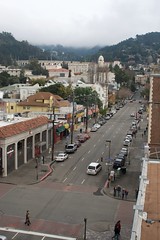
East of Telegraph Ave in Berkeley
I spent little time in my hotel, instead spending a lot of time walking around Berkeley and driving around the Bay. The weather was similar to Seattle but much nicer and slightly warmer. The times it was cloudy, it was actually dry. I forgot what dry ground and pavement was like! There were still periods of rain, but it was generally over quick. Most everyone I talked to said it was odd that it was the weather was so cold. Fine by me!
I didn’t know the Bay gets all crazy with fireworks for New Years. Had I actually thought to research it, I would’ve planned different. Instead I was driving back from Oakland, tired with the cold and drizzle. I got back to my room just in time to hear fireworks going off at midnight everywhere but not able to see them anywhere. After a few luls I finally decided to drive up to Tilden to see if I could see anything. Unfortunately it was still rainy and the overlooks by the park were really too far away to see the small stuff going off (and I got lost). Apparently the right thing was to go to Berkeley Marina to see the fireworks. Next time, maybe.
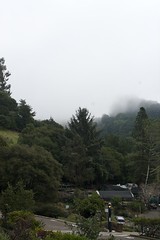 There was no plan at all. I visited some friends, ate lots of food, drove all around the Bay, took lots of photos, and sat on the internet at Peet’s. I was pretty excited and glad to be back in the Bay. It seemed like there was an energy I was picking up on, and it was really nice. I definitely want to go back and spend more time there. I want to visit the UC Botanical Garden (the foothills were super pretty) and should spend more time in SF proper.
I was disappointed to leave, but it was time to go back to work and I was tired of living in a hotel. The drive back went fast, I only had to stop three times for 10 minute cat naps.
PNW darkness
Dec 22nd, 2010 by bwann
I gotta move. The winter solstice was yesterday and the sun just set behind the trees at 3:47 PM. It doesn’t help that Redmond is in a valley so it sets early. I made the 405 – 90 – Seattle – 520 – Redmond loop this afternoon to soak in the sun while it was out. The darkness and constant work from home is driving me crazy. I’ve been out every single night for the past five days, just to go elsewhere. I leave for Oklahoma in the morning and I’m already pondering going to the U district this evening to wander.
I haven’t been on any good road trips since moving, and I just discovered how cheap it is to fly down the coast. I need to make some trips to the SF bay and LA to go exploring.